
TLDR; Can I self-host Clawdbot?
This week my timeline turned into a lobster parade. Everyone was talking about Clawdbot, sharing screenshots, “AI employee” stories, and lots of 🦞 energy. I’m a beginner homelabber, and I’m also the kind of person who clicks when the internet gets loud. So I did what I always do. I started reading, watching, and trying to understand what this thing actually is.
What I found was genuinely exciting. I also found a bunch of reasons why I’m personally not self-host Clawdbot in my Lil Beast yet. This post is my beginner-friendly, honest take.
How I discovered it, yes it was internet clout
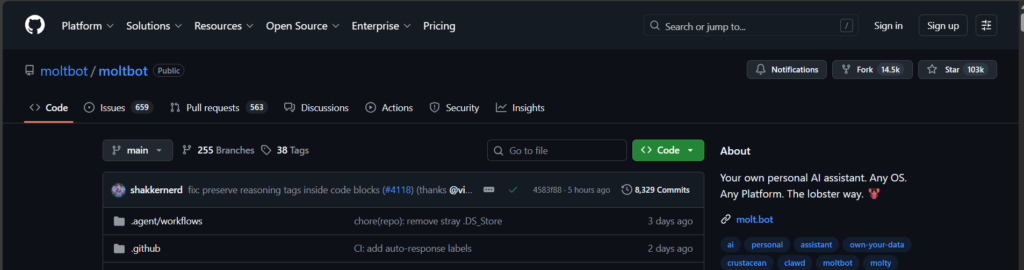
I did not discover Clawdbot through a careful research plan. I discovered it through pure online hype. People were describing a self hosted assistant that can message you first, remember context, and do real tasks. That was enough to get my homelab brain spinning.
Then I hit the first point of confusion. Clawdbot has been renamed to Moltbot. Same project, new name, still the lobster theme. If you see “Clawdbot” in older posts and “Moltbot” in newer posts, they are basically talking about the same thing.
If you are curious, here is a simple explainer:
What Clawdbot (Moltbot) is
Here is how I understand it in simple terms.
Clawdbot (Moltbot) is a self hosted AI assistant that you run on your own machine or server. Instead of opening a website to chat, you can interact with it through messaging apps like WhatsApp, Telegram, Discord, and more.
The part that makes it different from a normal chatbot is that it is designed to act like an agent. That means it can keep longer-term context, and it can use tools to take actions if you allow it. That can include working with files, running commands, and doing browser automation. In other words, it is trying to be “AI that actually does things,” not only AI that talks about things.
If you want to see the official “start here” docs, this is the place:
Why it looks like it belongs in my homelab
This is the part that hooked me.
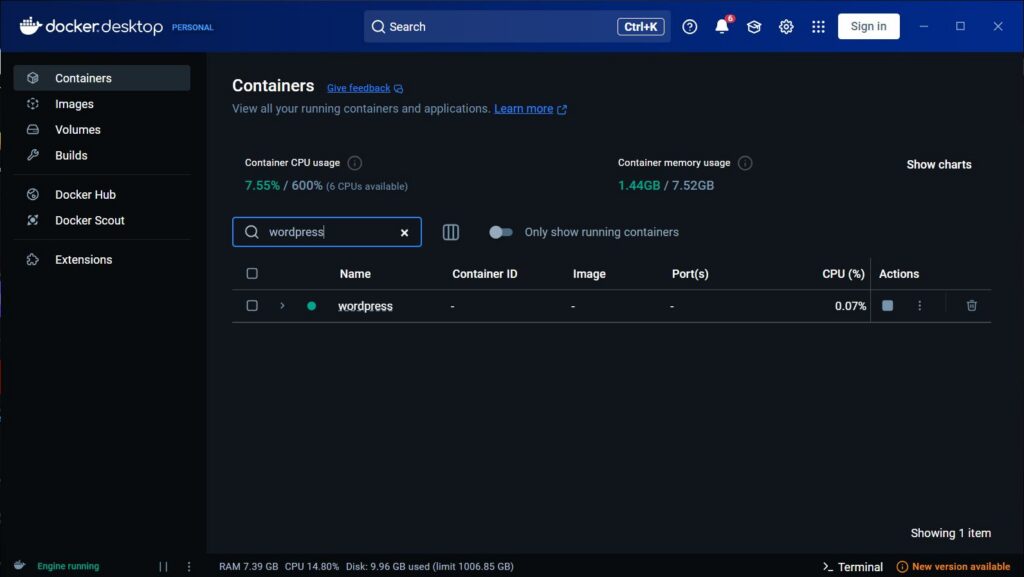
Right now my homelab is small. I only have one PC. But I already run Docker Desktop, and my current WordPress site runs in containers. That means I already enjoy the self hosted life in a beginner way.
My WordPress setup is also pretty beginner style. I run WordPress + MariaDB in one container, not separated. That makes it simple for me to manage, but it also means if something goes weird on this PC, my whole site feels it at once.
So when I read that Clawdbot can live locally, connect to chat apps, keep memory, and run tools, my brain immediately imagined it as a homelab helper.
Here are a few “beginner homelab” things I can imagine using it for someday:
- A chat based “control center” where I can ask for summaries, reminders, and status checks.
- Scheduled routines, because it is designed to run like a service, not like a one-off app.
- Growing capabilities over time through tools and skills, which feels very homelab-ish because my lab grows one experiment at a time.
So yes, on paper it looks like it fits the homelab vibe really well.
My current setup, and why I am not hosting it yet
Now for the honest part.
I have one machine doing everything. That means every new service I add has to compete with everything else I do, including my WordPress site.
Also, since I’m on Windows 10, the docs recommend running it via WSL2. Native Windows can be more problematic. Here is the official Windows page:
The bigger issue for me is resource sharing and stability.
The impressive demos usually involve tool access, like running commands and browser automation. That kind of tool use can be heavier than a normal chat workflow. And since my WordPress and MariaDB are in one container, I think of it as one little “website box” that I do not want to disturb. If my PC suddenly gets busy because an agent spins up a browser session, my website experience can suffer at the exact moment I want it to stay boring and reliable.
There is also the security side, which I take seriously even as a beginner. An always-on agent that can read files and run commands is powerful. I know myself. If I host it today, I will probably keep it locked down for safety. That would limit the “wow” features that made it go viral in the first place.
So my conclusion is personal and practical. It’s not worth the hassle for me yet, because I would either run it with limited permissions and get a limited experience, or open it up more and take on security and stability risks on my main machine.
What I would do if I tried it right now
If I do experiment with it later on this same PC, I would keep it boring and safe at first.
The official docs describe Docker as optional. You can use it if you want a containerized gateway setup or to validate the Docker flow:
They also describe sandboxing approaches where tool execution can run inside Docker containers, while the gateway itself stays on the host:
That sounds like the direction I would want, especially since I already use Docker Desktop for my website. I like the idea of separating “my website” from “my experiments,” even if I’m still learning how to do that well.
How I might host it in the future (the dedicated box plan)
I’m not writing Clawdbot off. I’m putting it into the “future upgrade” bucket.
1) A dedicated always on machine, maybe a Mac mini
A lot of people associate Clawdbot setups with a dedicated always on box, and the Mac mini shows up often in typical setups. It is not required, but it fits the idea of a small machine that can run quietly 24/7.
If I had a dedicated machine, I would feel much better about:
- leaving it on all the time
- letting it run scheduled tasks
- experimenting with tools without risking my main PC and my website
2) A cleaner, more modular homelab mindset
Right now, my WordPress + MariaDB are in one container because it is easy. In the future, I might separate things and make my stack more modular.
That same mindset applies to Clawdbot. I think it deserves its own lane, its own box, and a more deliberate security approach.
3) Docker sandboxing when I am ready to do it properly
The docs describe Docker as optional, and they also discuss sandboxing for tool execution. That feels like the grown up way to run an always on agent once I have the hardware and the confidence.
Final thoughts from a curious beginner
Clawdbot (Moltbot) is exciting because it sits at the intersection of two things I like. Self hosting and automation. It also feels like the kind of project that can easily turn into a full weekend adventure.
But I am trying to be honest about where I am right now. My homelab is still small. My main PC is also my server. My WordPress site is already something I want to keep stable. So I’m choosing to wait until I can host Clawdbot in a way that feels safe and sustainable.
For now, I’m watching the project. I’m learning. And I’m keeping the lobster on my “future upgrades” list.
Quick FAQ
Yes. The project was renamed from Clawdbot to Moltbot.
Yes, you can self-host Clawdbot but the docs recommend using WSL2 on Windows.
No. Docker is optional, but it can be useful for containerized setups and sandboxing.

Leave a Reply